Website Requirements
To build your website, we will need an extensive list of content, elements and information from you. Take a little time and systematically work through all the required items and return them to us as soon as possible, so we can deliver your site to you.
We have broken the content down into sections corresponding to the website layout.
Once you have gathered all the required elements, you will need to send them all to us.
Please read through this document and forward all the required elements as quickly as possible.
Failure to forward us all the elements in a timeous fashion, will impact the speed at which we can deliver the website to you.
Preliminaries
Domain Name – decide on a name for your website. (This website package includes a .com domain name)
A .com domain is preferred as it is as a top-level domain, and is generally easier to rank in search engine search results, once you start applying SEO techniques to your website.
Finding a domain name of your choice can take a bit of time.
Use this tool to check whether the domain of your choice is available.
Once you have found the domain of your choice, drop us a mail at website@author.triomarketers.com, and we will register it for you.
Note: As soon as we register your domain name, it will be assigned to a website hosting account. The 12 months hosting included in your website package, thus becomes active on the day that we register your domain name and expires 365 days later.
Email address – Choose an email address that you would like for your website. We can create 2 email addresses for you. Example- info@yourwebsite.com or peter@yourwebsite.com (yourwebsite.com, will be the domain name that you choose)
Color Palette – Decide on a color scheme for your website. Click here to use this handy tool to generate different color palettes to choose from.
Section 1 – Header

1. Logo – send us your professional designed logo. If you do not have a logo, we can make you a basic logo using a nice font.
2. Section background color.
3. Menu text color.
4. Menu text – Active (the color of the text to show which link is active).
5. Menu text – Hover (the color of the text when you hover over it with your cursor).
Section 1 Website Elements
Section 2 – Home
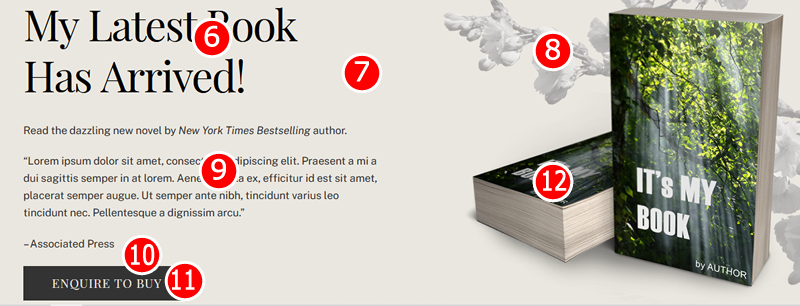
6. Banner heading
7. Background color of the section
8. Background image, if you want one
9. Impact statement
10. Button background color
11. Button text color
12. Your flat book cover, so we can create the book mock-up
Section 2 Website Elements
Section 3 – About Book
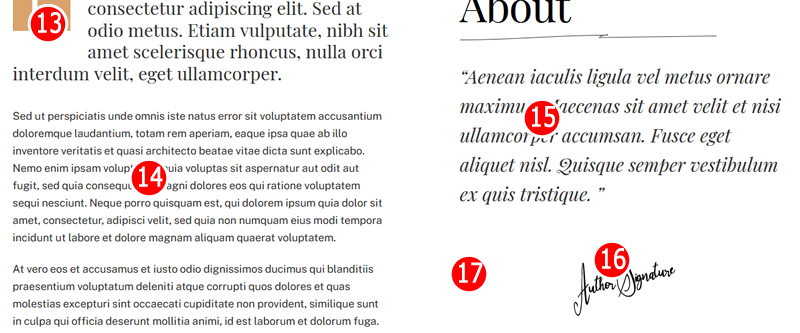
13. First letter highlight color
14. Brief description of your book
15. Highlight of your book
16. Your signature
17. Background color of the section
Section 3 Website Elements
Section 4 – Ordering
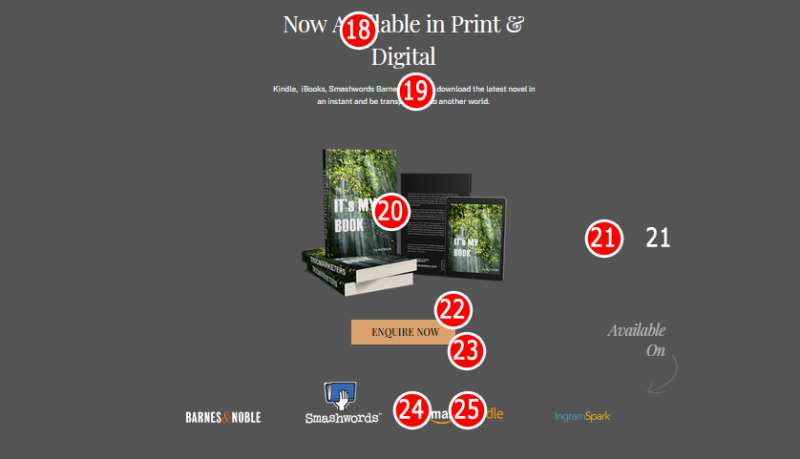
18. Page heading
19. List of book aggregators to use
20. Your book cover will be used to generate this mock-up
21. Section background color
22. Button background color
23. Button text color
24. Book aggregator logos
25. Links to all your books on the different aggregator platforms
Section 4 Website Elements
Section 5 – Testimonials
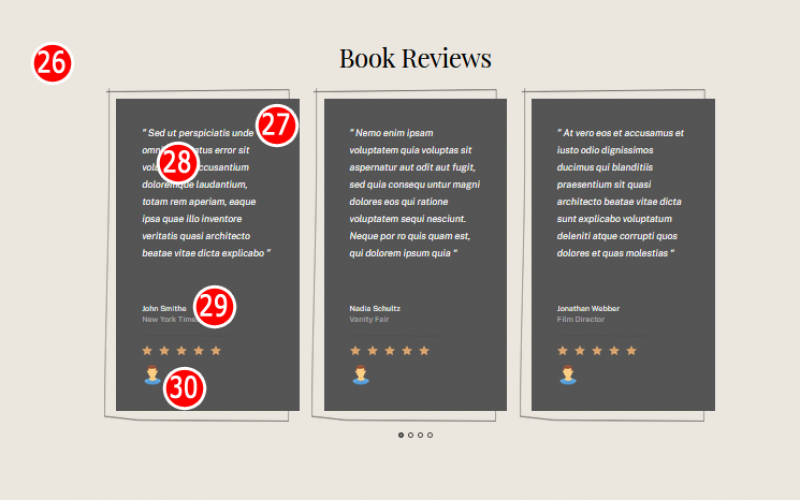
26. Page background color
27. Testimonial box background color
28. Testimonial box text color
29. Testimonial and name of person giving testimonial
30. Image of the person giving the testimonial
Section 5 Website Elements
Section 6 – Marketing
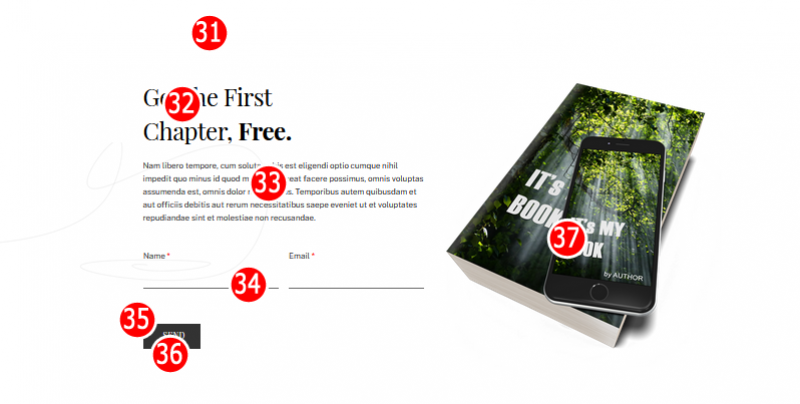
31. Background color of the section
32. Your marketing campaign to collect email addresses for your list
33. Explanation of what the campaign is about
34. Auto-responder code or API
35. Button background color
36. Button text color
37. We will generate the book mock-up from your flat book cover
Section 6 Website Elements
Section 7 – About Author
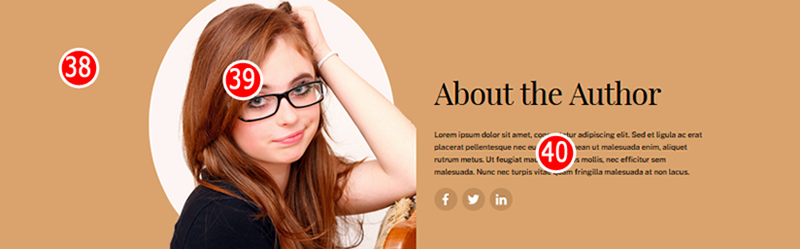
38. Background color of the section
39. A photo of the author
40. A short bio of the author
Section 7 Website Elements
Section 8 – Contact Page
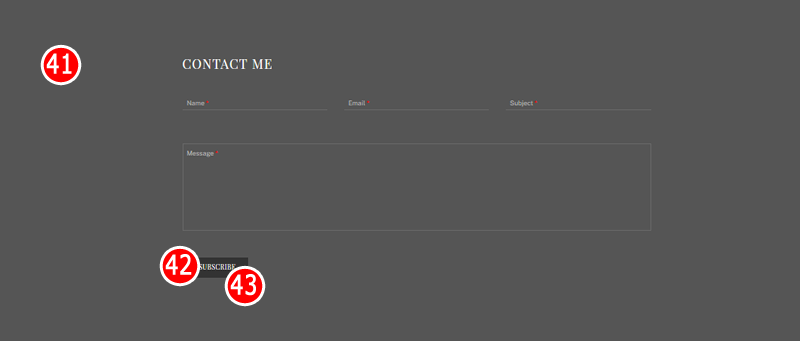
41. Background color of section
42. Background color of button
43. Text color of the button
Section 8 - Website Elements
Section 9 – Footer

44. Background color of section
45. Links to your social media pages
46. Background color of button
47. Text color of the button
48. Text color of the footer menu